Connect Seedr to Plex via FTP (Pro plan guide)
FTP is the path for Plex + Seedr if you are on the Pro plan (or the new Basic). It is simple, stable on long sessions, and every major OS can mount it. If you have Master, look at the WebDAV guide instead — WebDAV is the canonical Plex + Seedr path. This one is for FTP.
What this gets you
- Your Seedr folders appear as a drive or network path on the machine running Plex Media Server.
- Plex scans that path like any local drive: posters, metadata, watched state, multi-user profiles.
- No files copied to your PC. Plex streams byte ranges directly from Seedr.
What you need
- Seedr Pro or new Basic (FTP is a Premium feature).
- Plex Media Server running on Windows, macOS, Linux, or a Plex-compatible NAS.
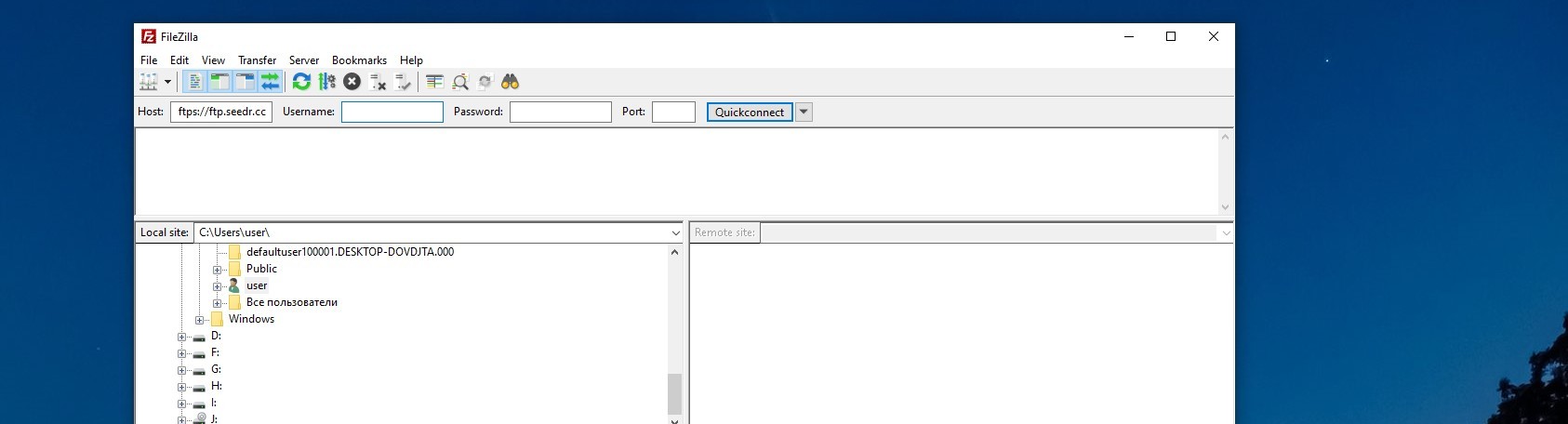
- An FTP mount tool — not a plain FTP browser. Plex needs a filesystem path, not a FileZilla transfer window.
- Windows / Linux: RaiDrive or NetDrive.
- macOS: Mountain Duck (paid) or curlftpfs via Homebrew.
- A Plex account (free is fine; Plex Pass optional).
FileZilla, Cyberduck, WinSCP are fine for poking around your Seedr files, but they do not mount as a drive, so Plex cannot use them.
Setup, step by step
1. Mount Seedr's FTP as a drive
On the same machine that runs Plex Media Server.
Windows / Linux (RaiDrive)
- Install and open RaiDrive.
- Add → Personal → FTP.
- Fill:
- Address: ftp.seedr.cc
- Port: 21
- Account: your Seedr email
- Password: your Seedr password (or dedicated FTP password from Account → Security)
- Assign a drive letter, e.g. S:.
- Tick Connect at sign-in so Plex finds the drive after reboot.
macOS (Mountain Duck)
- Mountain Duck → New Bookmark → FTP-SSL.
- Server ftps.seedr.cc, port 21, your credentials.
- Mount as a Finder volume at /Volumes/seedr.
Linux (curlftpfs)
`` sudo apt install curlftpfs mkdir -p /mnt/seedr curlftpfs ftp.seedr.cc /mnt/seedr -o user=you@example.com:yourpassword ``
2. Arrange files inside Seedr for Plex
Plex matches on filename. Rename inside Seedr's web UI first.
- Movies/Title (Year)/Title (Year).mkv
- TV/Show Name/Season 01/Show Name S01E01.mkv
3. Add the library in Plex
- Open Plex at http://localhost:32400/web.
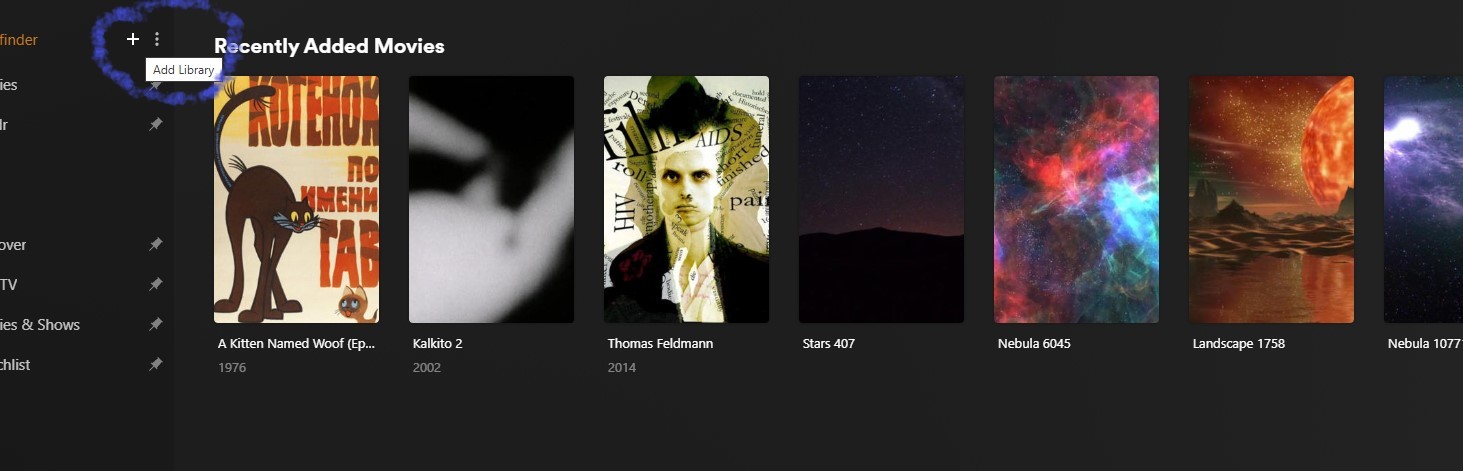
- Sidebar → + next to Libraries.
- Pick Movies or TV Shows.
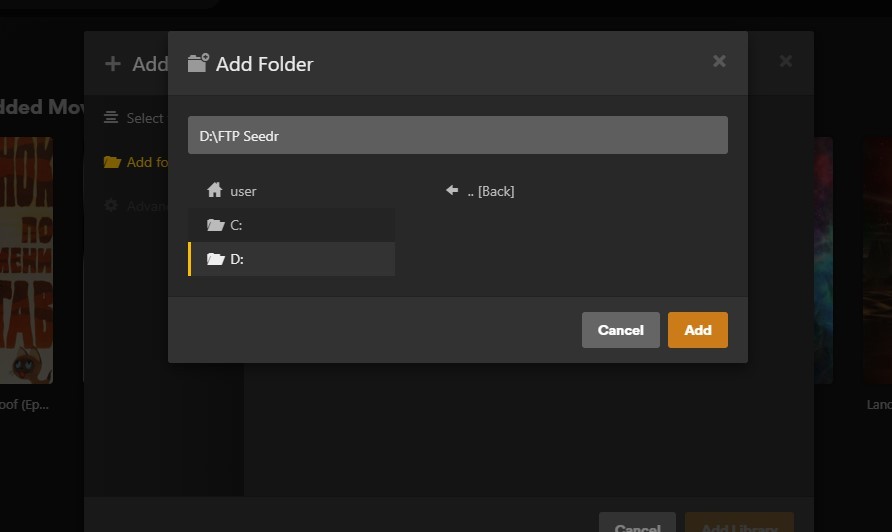
- Add Folders → browse to the mounted path: S:\Movies on Windows, /Volumes/seedr/Movies on macOS, /mnt/seedr/Movies on Linux.
- Add Library.
Plex scans, matches, pulls artwork.
4. Schedule rescans for new files
Settings → Library → Scan my library automatically — every hour is reasonable on FTP.
Troubleshooting
- "No files found" on scan — Plex runs as a service on Windows and cannot see drives mapped in a user session. Either run Plex as your user, or use RaiDrive Pro's "System Service" mount mode.
- Connection refused / slow first byte — your ISP or router may block plain FTP on port 21. Switch to FTPS using ftps.seedr.cc (Implicit FTPS, port 21) in your mount tool.
- Files listed but won't play — the mount is fine; Plex is transcoding and choking. Check Now Playing. Lower client quality to "Original" (direct play), or convert the file in Seedr (right-click → Convert → MP4 H.264).
- Matches wrong title — bad filename. Rename inside Seedr, then right-click the library item in Plex → Fix Match.
- Mount drops after a few hours — some FTP servers / routers close idle sessions. In RaiDrive enable Auto reconnect; on Linux mount with curlftpfs ... -o allow_other,reconnect.
What works well, and known limits
Works well
- Browsing and direct-playing H.264 MP4/MKV to one or two clients is smooth.
- Plex's library scanner handles FTP listings without surprises.
- Works on Plex-compatible NAS devices (Synology, QNAP) via their built-in FTP mount.
Known limits
- FTP is text-command and not as fast on giant folder listings as SFTP. If you have thousands of files per folder, split them or move to SFTP / WebDAV.
- Transcoding still happens on your Plex server's CPU. A 4K HEVC file transcoded to 1080p needs hardware acceleration (Plex Pass + supported GPU).
- If you cancel Seedr, Plex can't read the files anymore — download anything you want to keep first.
Wrap
FTP + Plex + Seedr is the budget-friendly Plex-from-cloud path. Mount once, add the folder as a library, forget about it.
Was this article helpful?
Related Articles

Use the Seedr Roku plugin — install and setup
This tutorial explains how to use Seedr on Roku, covering setup, basic navigation, and common usage patterns. It walks through the steps needed to access your content on a Roku device and clarifies how the Seedr interface behaves on TV.

Connect Seedr and Plex with WebDAV (Full Guide)
Connect Seedr to Plex using WebDAV. View your cloud saves directly through Plex without local storage.

Plex for Beginners: Install, Libraries, and Seedr
Getting started with Plex media server. Organize and view your entire media library across all your devices.