Connect Seedr and Plex with WebDAV (Full Guide)

This is the deep-dive: Plex Media Server reading your media from a Seedr WebDAV mount. WebDAV is the most stable Plex + Seedr combo — mount it once, Plex treats Seedr as a local drive, your whole library streams on demand without anything saved to your disk.
If you are brand-new to Plex, read Plex for Beginners first. If you are on a Pro / Basic plan (no WebDAV), use Plex via FTP instead.
What this gets you
- Your entire Seedr library, exposed to Plex as a normal folder.
- Plex scans it, matches titles, pulls posters, groups TV seasons.
- Every Plex client (phone, Apple TV, Roku, Fire TV, browser, console) plays from it, streaming byte ranges directly from Seedr.
- New uploads into Seedr show up in Plex on the next library scan.
What you need
- Seedr Master (or higher). WebDAV is a Master-tier feature.
- Plex Media Server on Windows, macOS, Linux, or a Plex-compatible NAS.
- A WebDAV mount tool on the same machine as Plex: Windows / Linux → RaiDrive macOS → Finder has WebDAV built-in; or use Mountain Duck for a more persistent mount Ubuntu/GNOME → Nautilus has WebDAV built-in
- A free Plex account. Plex Pass is optional — only needed for hardware transcoding, offline sync, and live TV.
Setup, step by step
1. Decide where Plex Media Server lives
Plex reads the library from the filesystem. The WebDAV mount must exist on that machine. If Plex runs on your NAS, mount WebDAV on the NAS. If Plex runs on your PC, mount on the PC. If you are using a cloud VPS to host Plex, mount there.
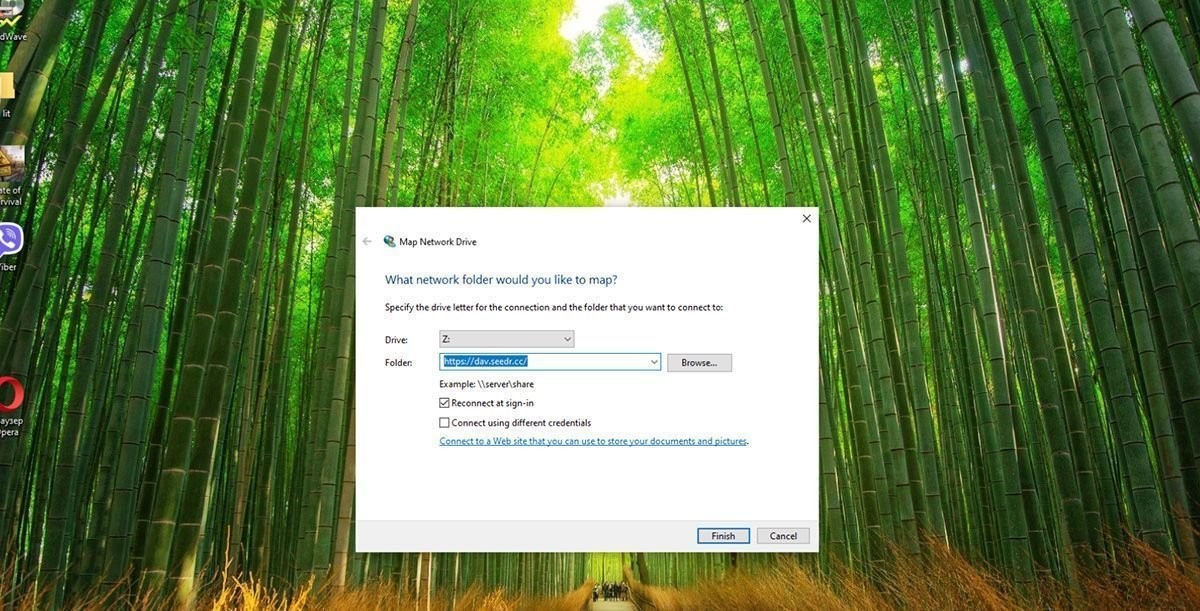
2. Mount Seedr via WebDAV
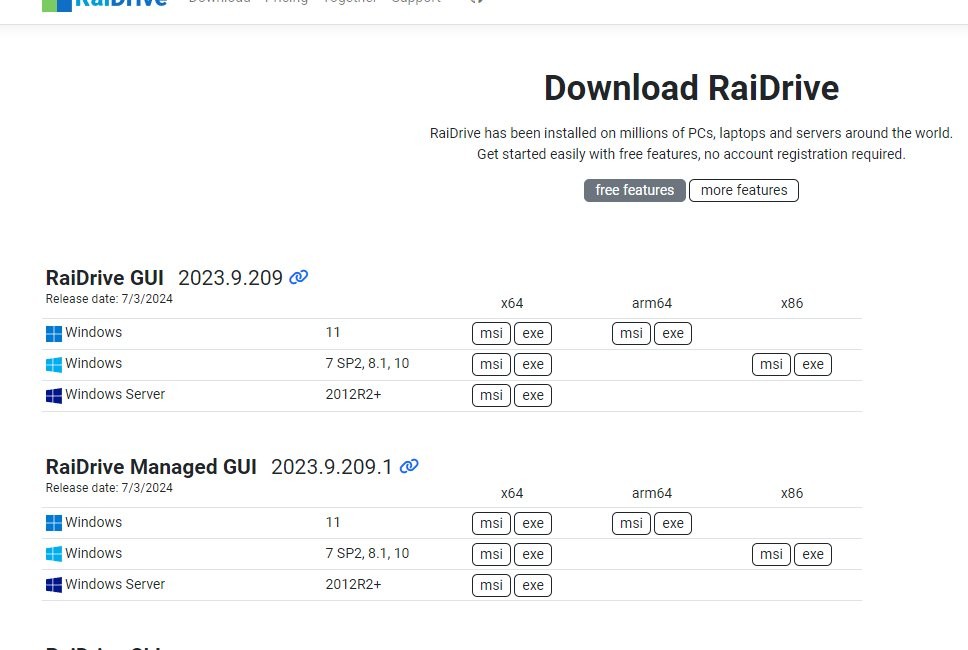
Windows (RaiDrive)
- Install RaiDrive.
- Add → WebDAV.
- Address: https://dav.seedr.cc — Port: 443 — Path: /.
- Sign in with your Seedr email and password.
- Assign drive letter Z:.
- Tick Connect at sign-in so the mount survives reboot.
macOS (Finder)
- Finder → Go → Connect to Server (⌘K).
- Enter https://dav.seedr.cc.
- Sign in with your Seedr credentials. The mount appears under Locations.
- For a mount that survives reboots, add Mountain Duck instead; Finder's native mount drops on sleep.
Linux (Nautilus)
- Files → Other Locations → Connect to Server.
- Enter davs://dav.seedr.cc.
- Sign in. Shows up in the sidebar.
Linux (CLI, davfs2)
sudo apt install davfs2
sudo mkdir -p /mnt/seedr
sudo mount -t davfs https://dav.seedr.cc /mnt/seedr
For persistence, add to /etc/fstab and store credentials in /etc/davfs2/secrets.
3. Arrange files inside Seedr for Plex
Plex matches on filename. Rename inside the Seedr web UI before scanning.
- My video (1999).mkv
- Files/Recordings/2005.mkv
Messy filenames = Plex marks items "Unmatched".
4. Add the library in Plex
- Open Plex.
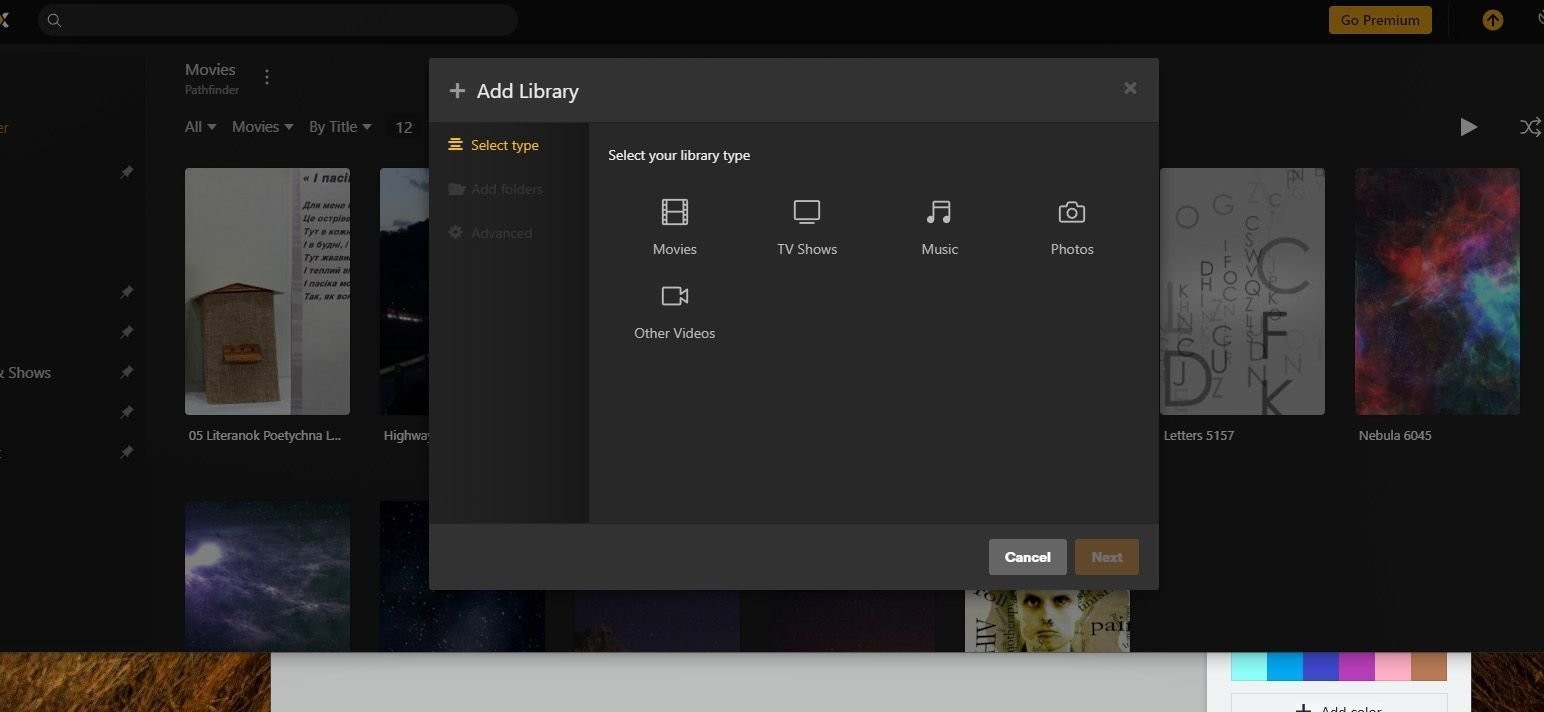
- Sidebar → + next to Libraries.
- Pick Library. Set the library language.
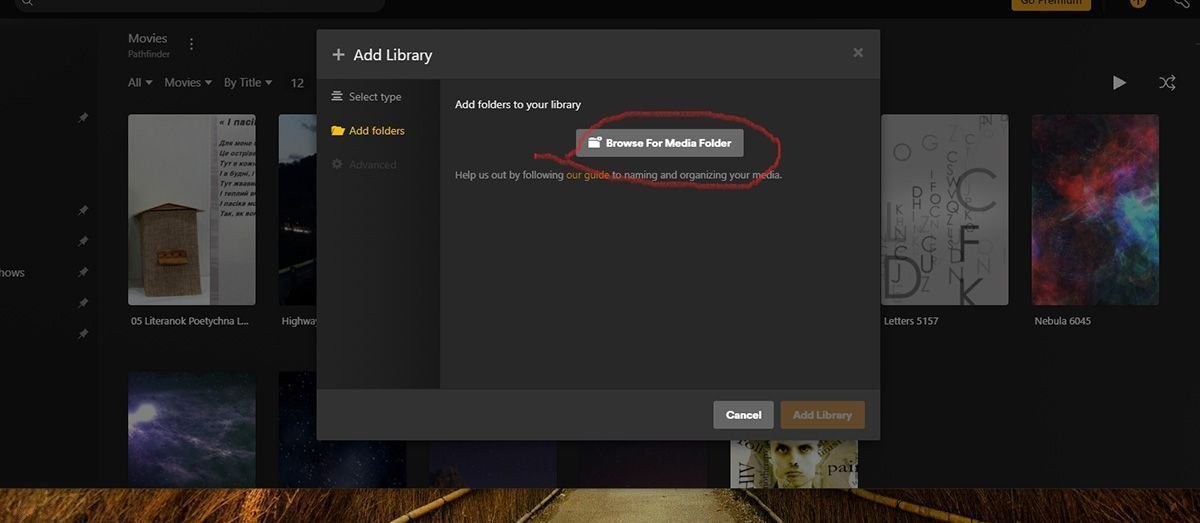
- Add Folders → Browse for Media Folder → navigate to the WebDAV mount: - Windows: Z:\Movies - macOS: /Volumes/dav.seedr.cc/Movies - Linux: /mnt/seedr/Movies
- Add Library. Plex scans Seedr. First scan on a big library can take 10–30 minutes.
-1.jpg)
5. Turn on automatic scans for new uploads
Settings → Library → Scan my library automatically → on. Update my library periodically → set to every hour.
Plex now picks up anything you drop into Seedr without manual scans.
Troubleshooting
- "Library scan produced no files" — the WebDAV mount is not visible to the Plex process. On Windows, Plex running as a service cannot see drives you mapped in an interactive login. Run Plex as your user, or use RaiDrive Pro's Run as Service option. On Linux, mount via /etc/fstab so systemd-launched Plex can see the path.
- "Unauthorized" — if you generated a dedicated WebDAV password in Account → Security, use that one, not your regular password.
- Library items show "Unmatched" — bad filenames. Rename in Seedr to Title (Year) or Show S01E01, then Fix Match in Plex.
- Video buffers every few seconds — Plex is transcoding. Check Now Playing on the server dashboard. It will say "Transcode (video)" or similar. Fixes: set client quality to Original for direct play, upload an H.264 MP4 version of the file, or give the server a supported GPU + Plex Pass for hardware transcoding.
- Scans take forever on huge folders — WebDAV listings slow down past a few hundred files per folder. Split Movies/ into subfolders (A-G, H-N, O-Z), or switch to an SFTP mount.
- Mount drops after idle — Windows Explorer and macOS Finder both sleep WebDAV mounts. Fix with RaiDrive Auto reconnect or Mountain Duck on macOS. On Linux add -o _netdev,reconnect.
- Windows 50 MB size cap error — Windows' native WebDAV client caps file size. Use RaiDrive, which bypasses the limit.
What works well, and known limits
Works well
- Direct-play of H.264 and H.265 MP4/MKV files to phones, Apple TV 4K, Roku Ultra, Fire TV 4K Max, Chromecast with Google TV.
- Subtitles sitting next to the video file (.srt, .ass).
- Multiple Plex users sharing the library with separate watched states.
Known limits
- Concurrent streams are capped by your Seedr plan's bandwidth. Three 4K streams at once will struggle on anything below Master.
- Transcoding happens on the Plex server, not on Seedr. A low-power mini PC will choke on 4K HEVC → 1080p transcodes. Hardware transcoding needs Plex Pass plus a supported GPU.
- Plex cannot write to Seedr — it only reads. media server automation tools/media automation automation into this library needs a separate pipe (see media server automation tools + Seedr).
- Cancel Seedr → library goes dark immediately. Metadata survives, files don't.
- WebDAV listing performance degrades on thousands of files per folder. Structure matters.
Wrap
Mount Seedr over WebDAV, point Plex at the mount, watch anywhere. For most Master-tier users, this is the single best way to run a Plex library — no NAS, no local drives, no babysitting.
Was this article helpful?
Related Articles

Plex for Beginners: Install, Libraries, and Seedr
Getting started with Plex media server. Organize and view your entire media library across all your devices.

Use the Seedr Roku plugin — install and setup
This tutorial explains how to use Seedr on Roku, covering setup, basic navigation, and common usage patterns. It walks through the steps needed to access your content on a Roku device and clarifies how the Seedr interface behaves on TV.
Connect Seedr to Plex via FTP (Pro plan guide)
Set up Seedr with Plex via FTP connection. Access your cloud files in Plex for seamless media viewing.