Seedr V2 audio player — play music from your cloud
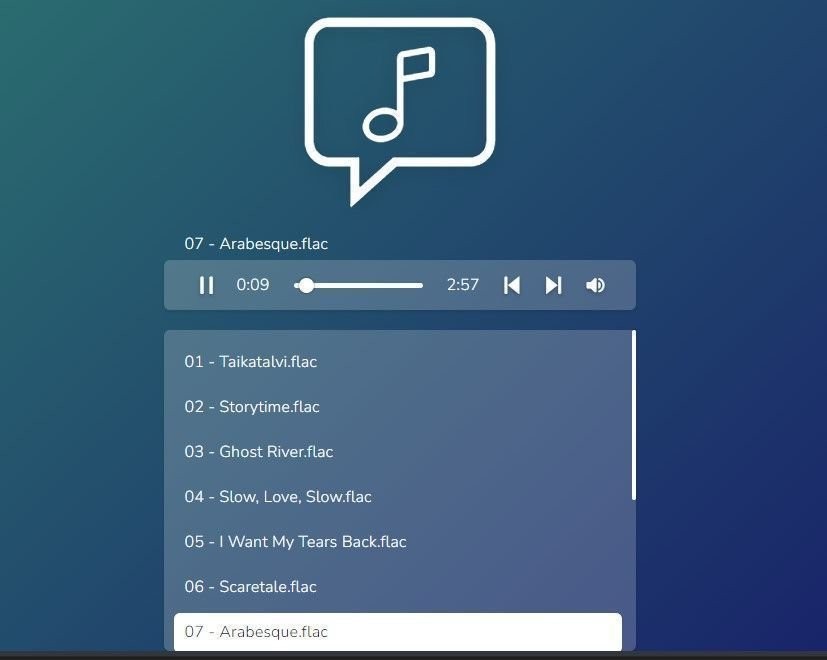
Seedr V2 has a built-in audio player. Open an MP3 or FLAC from your cloud and it plays in the browser — no app install, no format conversion, no device syncing.
Why we built it
Most people's music lives in two places: a streaming service subscription and a pile of old MP3s, FLACs, and live recordings that don't belong on Spotify.
Before V2, playing that second pile from Seedr meant downloading each file to your device first. That fills up phone storage, breaks the link between your cloud library and what you're listening to, and pushes people toward separate music apps with separate logins.
The V2 audio player opens those files in-browser, keeps them in the cloud, and works on any device that has a browser.
What's new
- Formats supported: MP3, FLAC, M4A, WAV, OGG, AAC, and most common audio containers.
- In-browser playback: no download, no desktop app, no mobile app install.
- Keeps playing: the player sits in its own panel and keeps playing while you browse other files in Seedr.
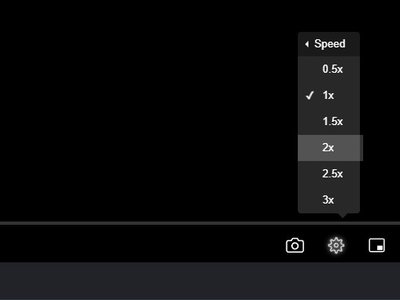
- Speed control: 0.5x, 1x, 1.5x, 2x, 2.5x, 3x (useful for audiobooks and lectures).
- Works alongside V2 video: same player stack, same controls, same behaviour.
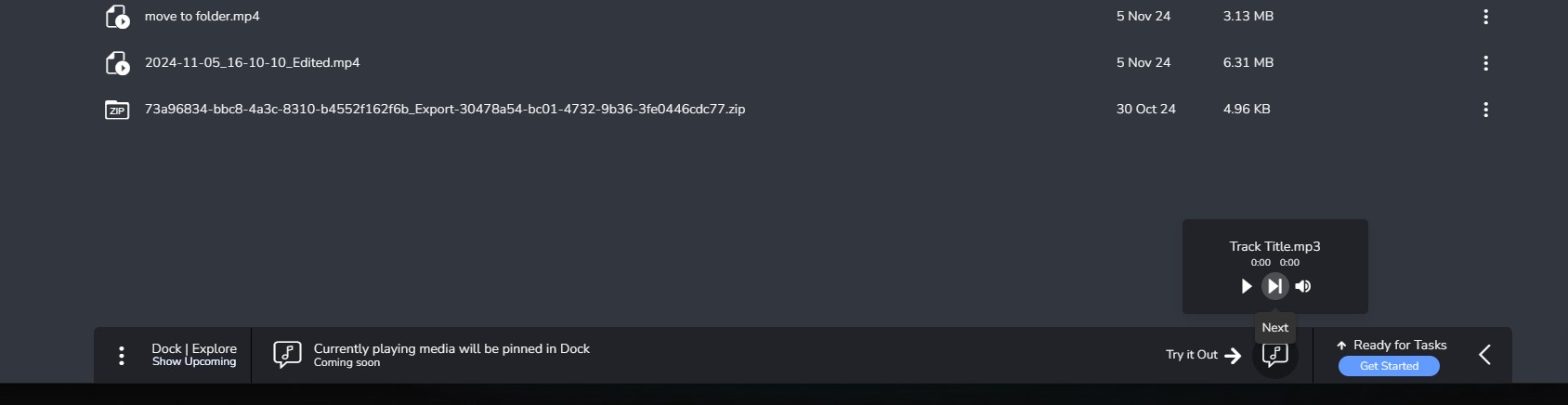
Before V2: click audio file, wait for download, open in system player. After V2: click audio file, it plays.
How to use it today
- Add your music to Seedr. You can paste a link, upload files from your device, or mount via WebDAV/FTP and copy files in.
- Open the folder containing your audio.
- Click any supported audio file. The V2 player opens and starts playback.
You can also:
- Queue multiple tracks by opening a folder and letting the player move through files.
- Organise into folders — Seedr does not have a separate music library view, so folder structure is your sorting method today.
- Resume on another device — because the file lives in the cloud, you open the same file on your phone and continue.
What works well and what doesn't
Works well:
- FLAC and high-bitrate MP3 playback on decent connections.
- Long audiobook sessions with speed control.
- Switching devices mid-album — the cloud is the source of truth.
Has caveats:
- No playlists yet. You queue by folder. Cross-folder playlists are on the roadmap, not shipped.
- No library metadata view. Track tags display, but there's no artist/album browse screen — the file manager is the browse UI.
- No offline mode for audio yet. Offline mode is in V2 preview and rolling in.
- Lossless on mobile networks is bandwidth-heavy. The player doesn't currently downscale FLAC — pick MP3 for data-constrained listening.
Roadmap
What's planned:
- Collections — save files into named lists (different from folders, the same file can sit in multiple collections). Useful for mood-based playlists without rearranging your folder tree.
- Cross-cloud access — view files from Google Drive and OneDrive in the same player, without copying them into Seedr first.
- Library view — an artist/album browser pulled from file metadata.
- Offline audio — part of the broader V2 offline mode preview.
These are announced, not shipped. The audio player today is a functional browser-based player without the full library-manager layer.
Wrap
The V2 audio player is a clean way to play the music you already own without adding another app to your phone. Paste it in, click it, listen. The library features will catch up over time.
Was this article helpful?
Related Articles
Downloading vs streaming in Seedr — when to use each
Save files to your device for control and offline access, or view directly in Seedr's Video Viewer — one cloud, two ways to watch. Here's when each is the right call.
Playback speed control in Seedr V2
Control video playback speed in Seedr V2. Speed up or slow down videos for learning, entertainment, or accessibility.
What to Do While Seedr Is Saving Your Files
Make the most of save time. Browse, organize, and queue files while Seedr saves your torrents in the background.